MMS Live Chat
Design Principle
Clear communication builds confident learning.
Metadata
Role
Product Designer
Project Type
Concept Project
Platform
Mobile Application
Scope
End-to-End Product Design
Tools
Figma
Project Introduction
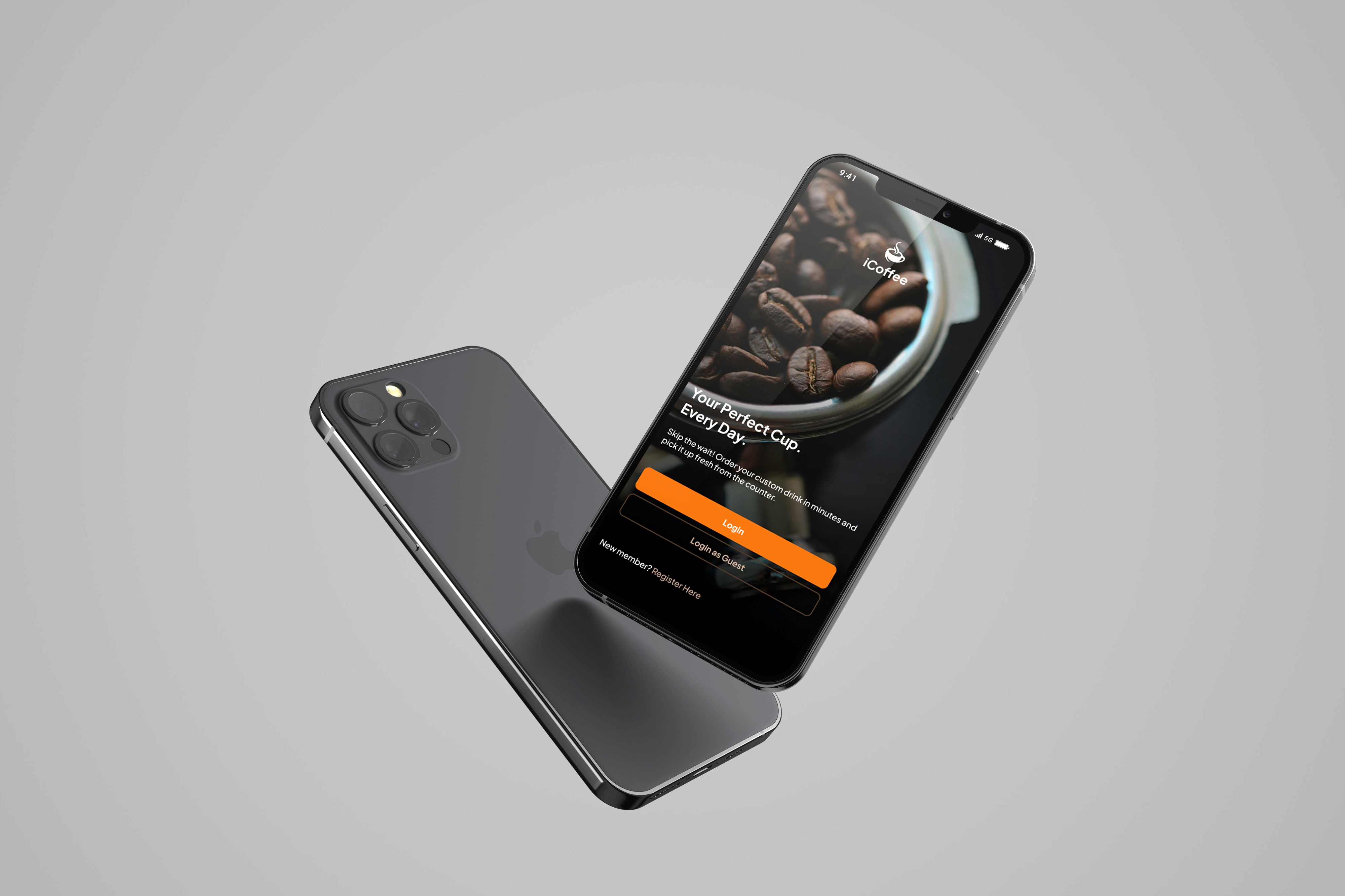
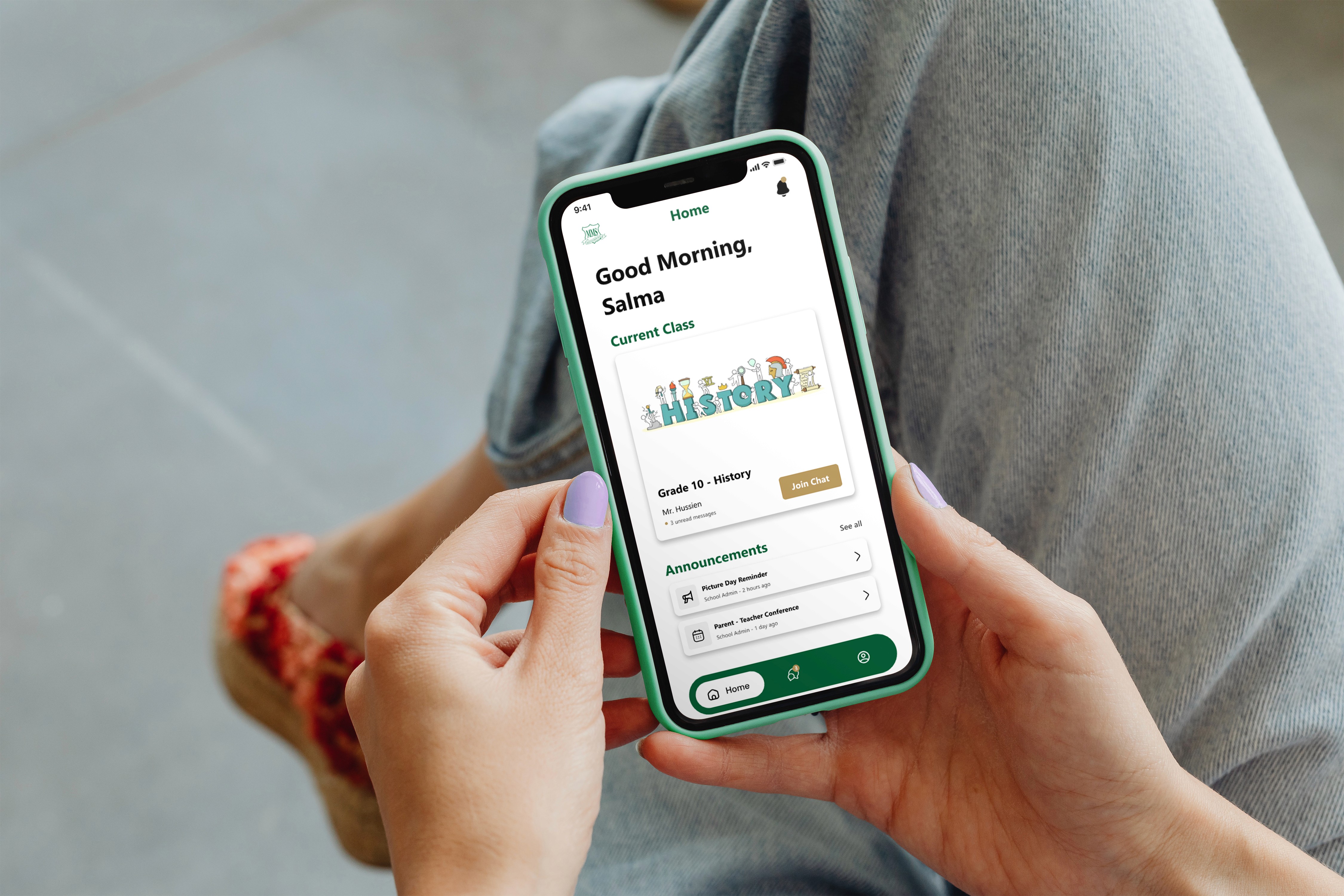
MMS Live Chat is a concept mobile application designed to improve academic communication between students and teachers through structured, role-based conversations. Rather than relying on informal messaging platforms, the product creates a dedicated learning environment where announcements, discussions, and class interactions remain organized, secure, and easy to follow.
Understanding the Problem
Modern schools often rely on general-purpose messaging applications for academic communication. While convenient, these platforms are not designed for structured learning environments. Conversations become cluttered, announcements are easily overlooked, and the boundaries between personal and academic communication begin to disappear.
As someone who values clarity in digital products, I wanted to explore how product design could create a communication experience where every interaction feels purposeful, organized, and appropriate for an educational setting.
Research & Discovery
To understand the communication challenges experienced by both students and teachers, I conducted user research through interviews and surveys with representatives from each group. The objective was to identify where existing messaging platforms failed to support structured academic communication and how a dedicated product could improve clarity, accountability, and collaboration.
Key Insights
Students struggled to separate academic conversations from personal messages.
Teachers needed a reliable way to broadcast announcements without losing visibility.
Informal messaging platforms created unnecessary distractions and information overload.
Academic communication required clearer structure, accountability, and role-based permissions.
User Personas
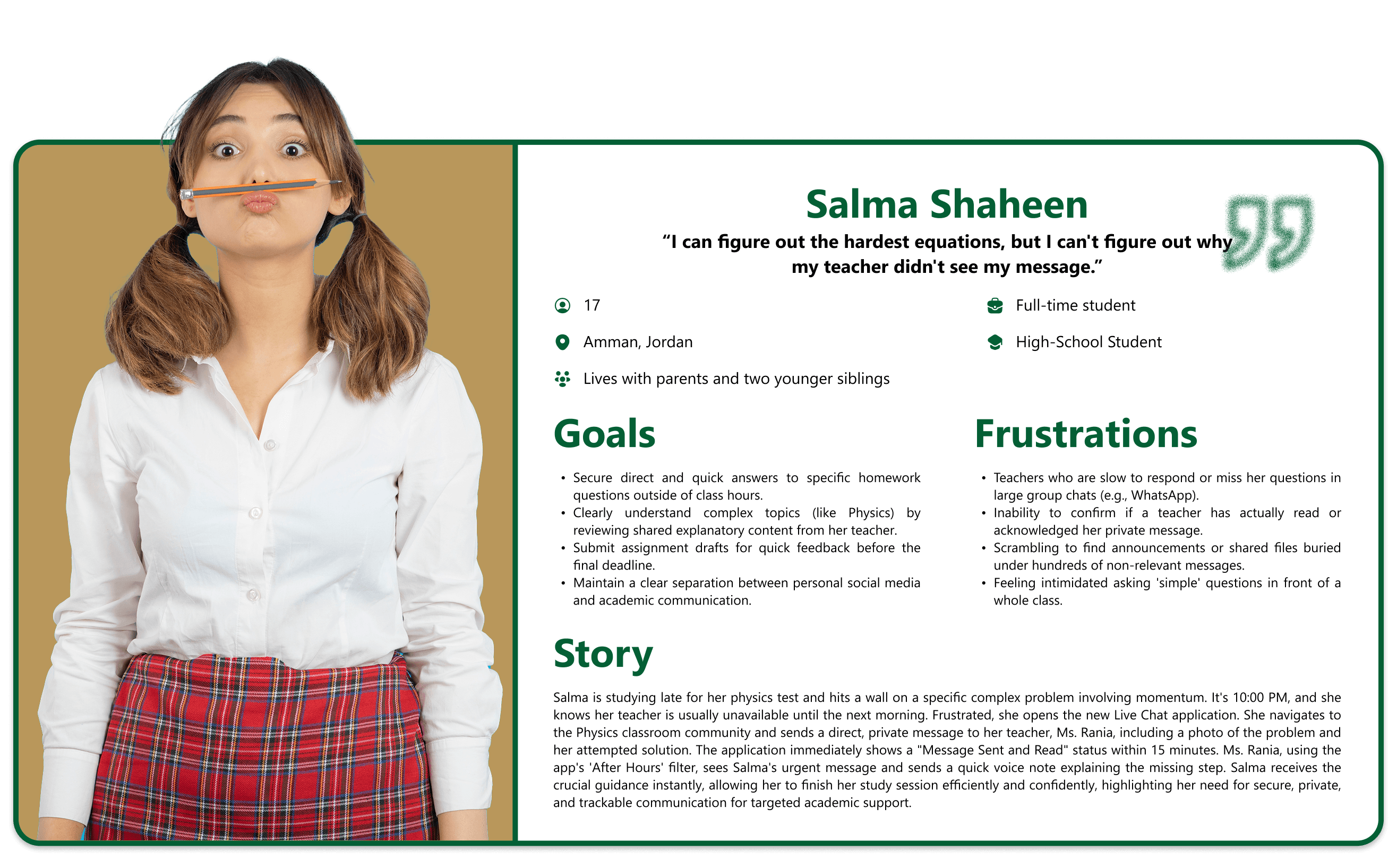
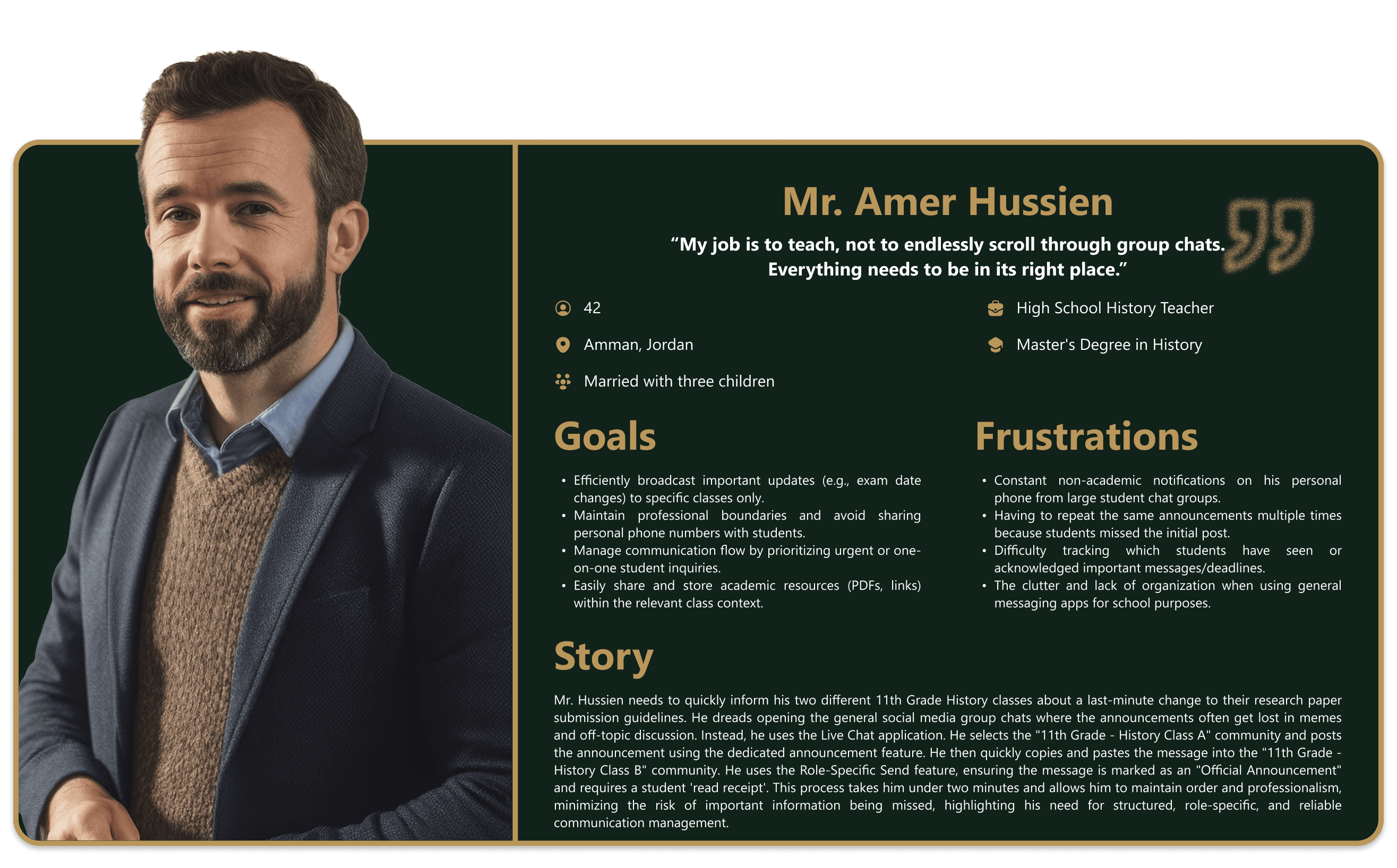
User Problem Statements
Salma Shaheen
Salma Shaheen is a highly focused high school student preparing for demanding exams who needs a direct, public channel to post specific, complex academic questions and track the teacher's response within a clear class community because uncertainty about whether her question was seen and the frustration of general chat clutter directly impede her ability to get timely help and maintain effective, independent study habits outside of classroom hours.
Mr. Amer Hussien
Mr. Amer Hussien is an experienced history teacher with a heavy teaching load and a need for professional communication boundaries who needs a structured, role-specific mobile platform to broadcast mandatory announcements to entire classes with forced read receipts because using personal communication apps for school leads to constant distraction, blurs the professional/personal line, and severely limits his ability to confirm that all students have received and acknowledged critical information.
Design Exploration
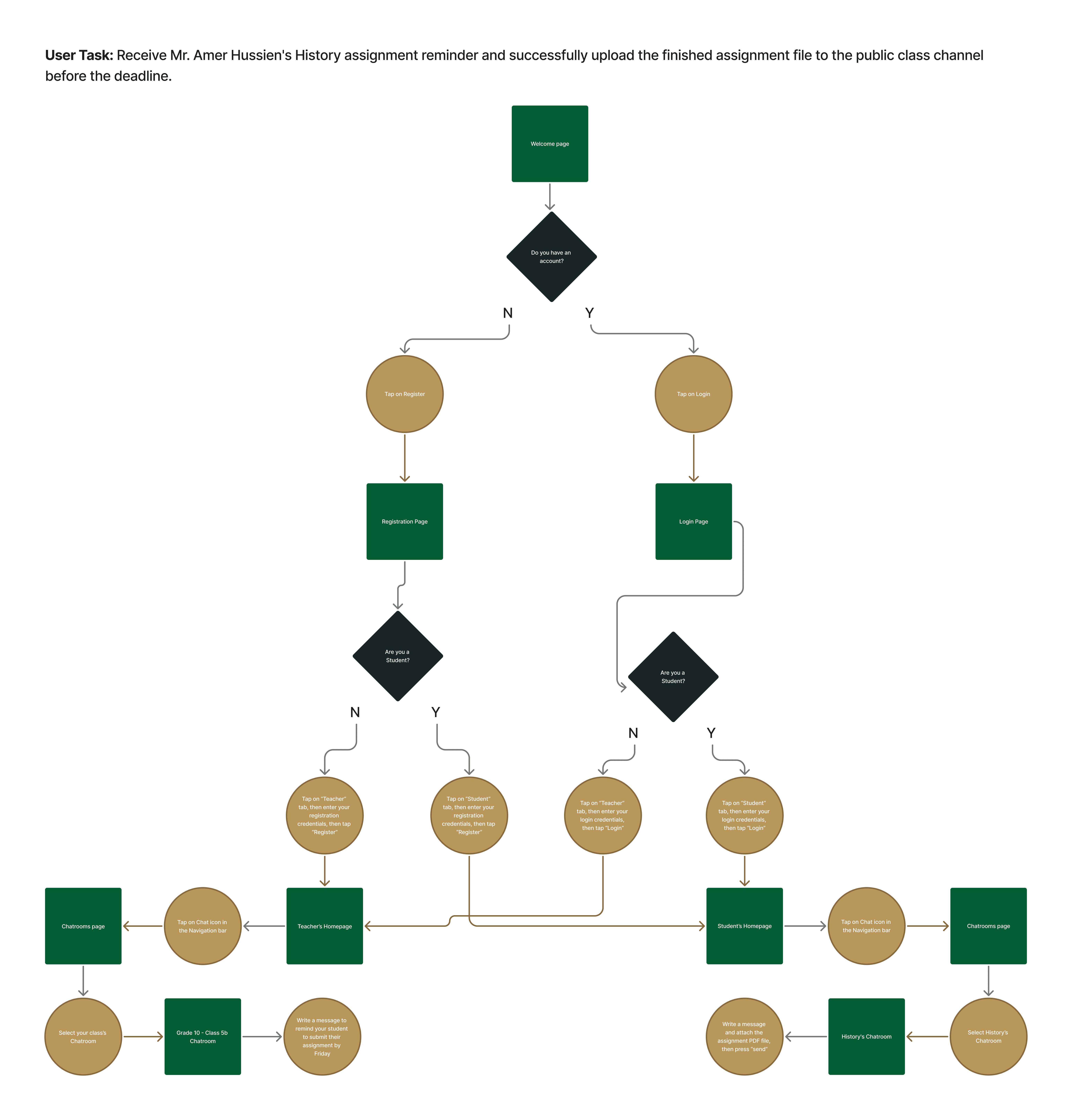
With the research findings clearly defining the communication challenges, I translated those insights into a streamlined product structure focused on clarity, predictable navigation, and role-based interaction. Before exploring visual design, I mapped the primary communication journey to ensure that every task followed a logical and efficient flow.
User Flow
Wireframes
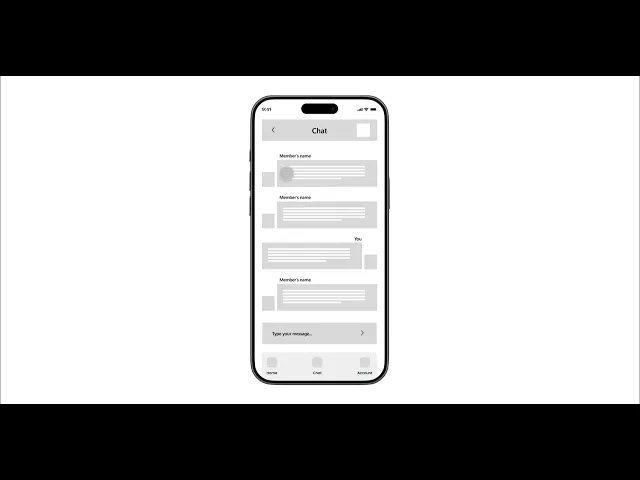
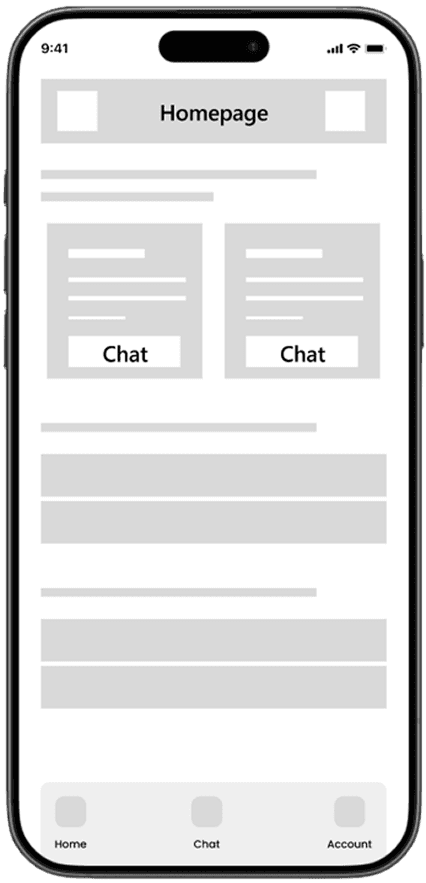
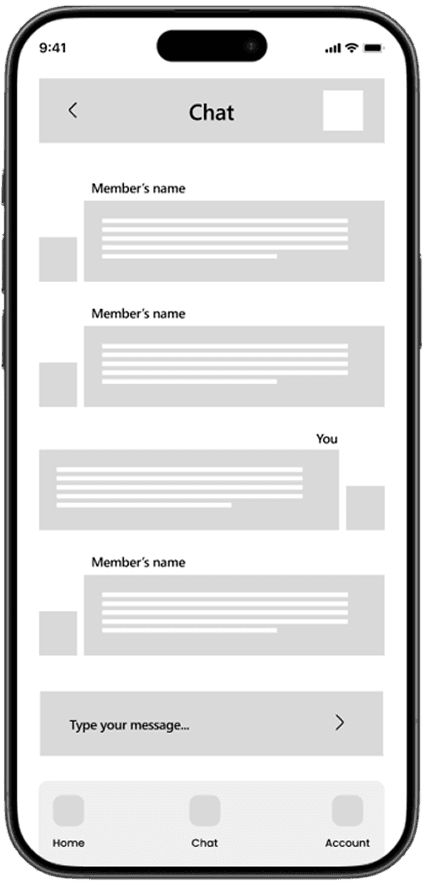
The wireframing phase focused on transforming the product structure into clear interface layouts before introducing visual styling. By prioritizing hierarchy, navigation, and content organization early in the process, I was able to validate the overall experience and iterate quickly before investing in high-fidelity design.
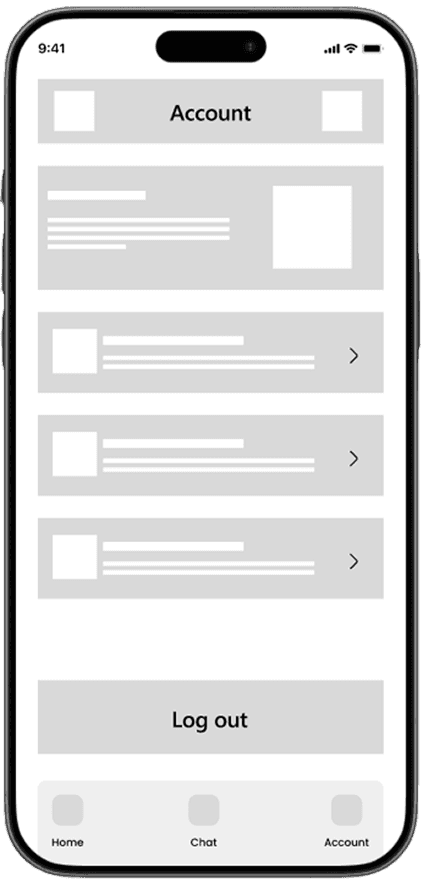
Low-Fidelity Prototype
Design Decisions
Role-Based Communication
Students and teachers experience the platform differently. Separating permissions and interactions based on user roles creates a more focused, secure, and predictable communication experience.
Organized Conversation Structure
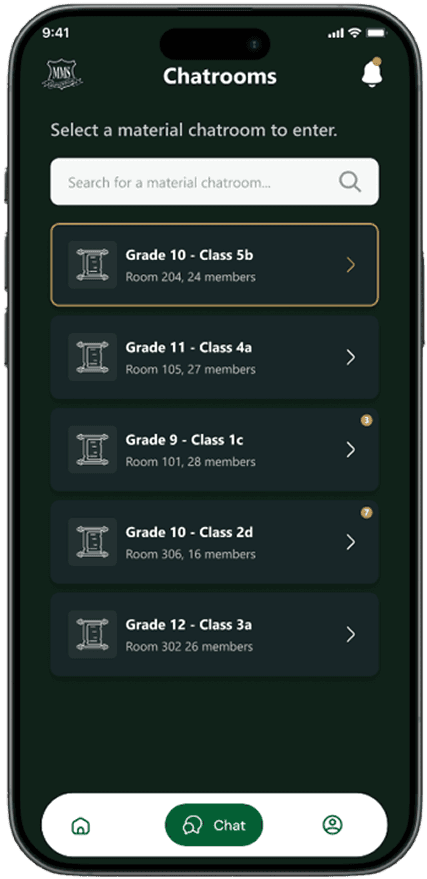
Rather than presenting conversations as a continuous stream of messages, the interface emphasizes class-specific organization to reduce cognitive load and improve information retrieval.
Prioritized Announcements
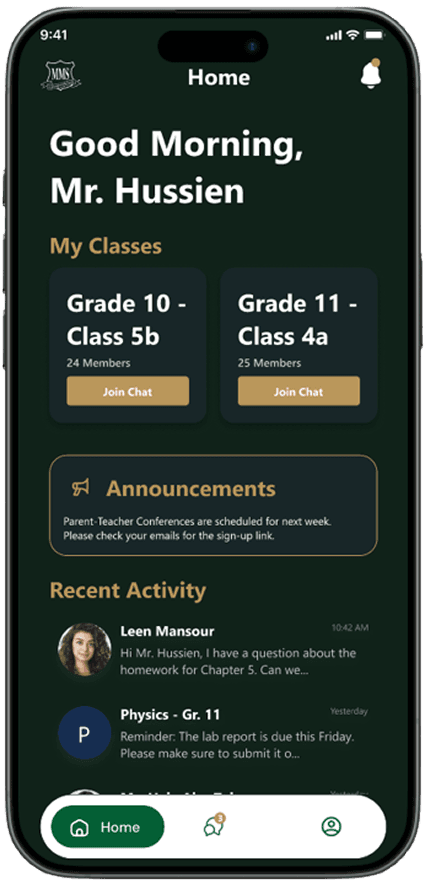
Announcements were visually distinguished from regular conversations so important academic information remains visible and easy to revisit.
Professional Yet Approachable Interface
The visual language balances trust and friendliness, creating an experience that feels appropriate for an educational environment without becoming overly formal or intimidating.
Visual Design & UI System
The visual system was designed to reinforce clarity, trust, and consistency across the product. Every visual element—from typography and color to component behavior—supports efficient communication while reflecting the identity of an educational environment.
Design System
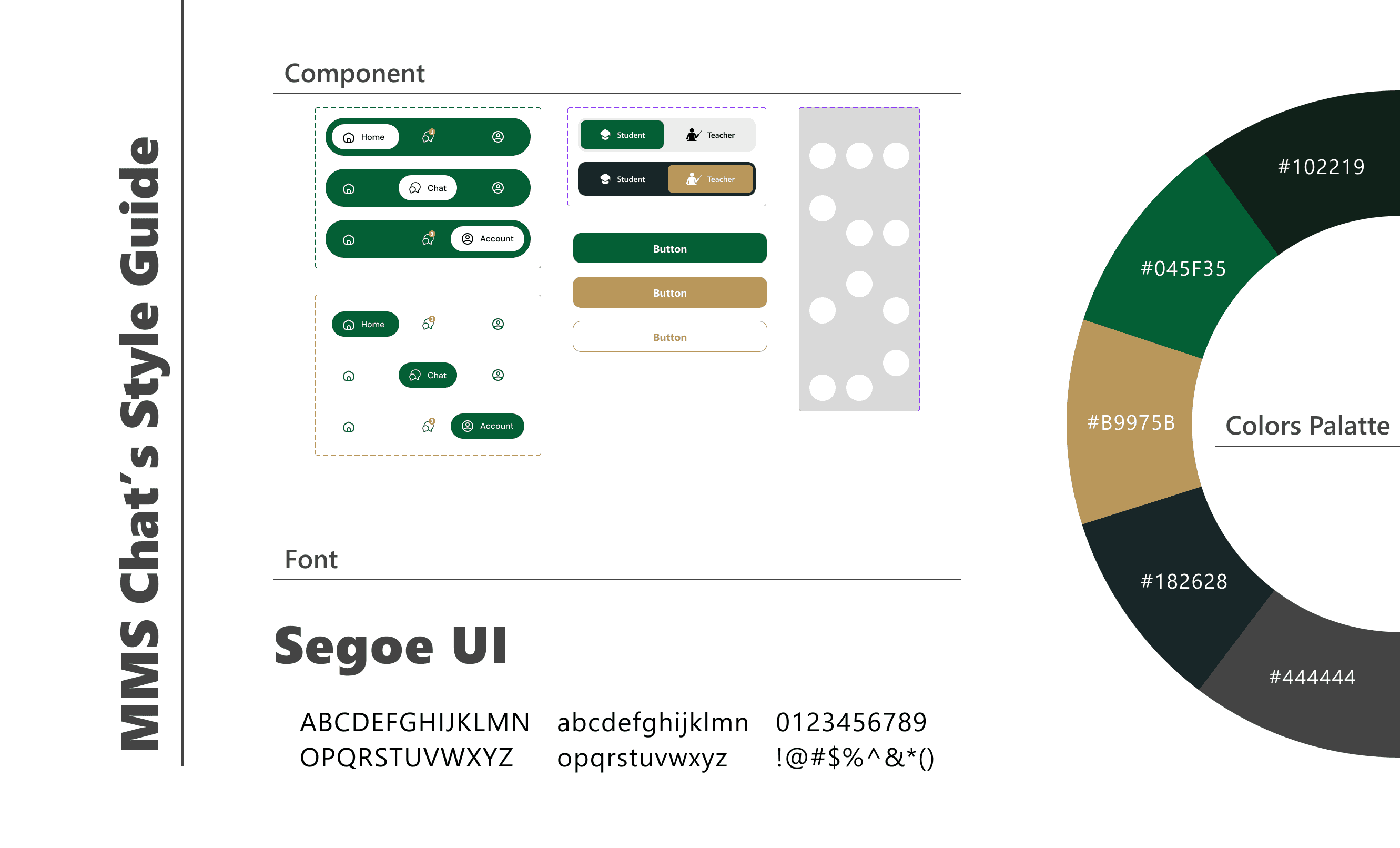
Final Design Solution
The final product delivers a structured communication platform designed specifically for educational environments. By combining role-based access, organized conversations, and intuitive interaction patterns, the experience enables students and teachers to communicate more effectively while reducing distractions and information overload.
Key Features
Role-Based Access
Separate experiences for students and teachers maintain appropriate permissions while supporting each user's responsibilities.
Structured Class Channels
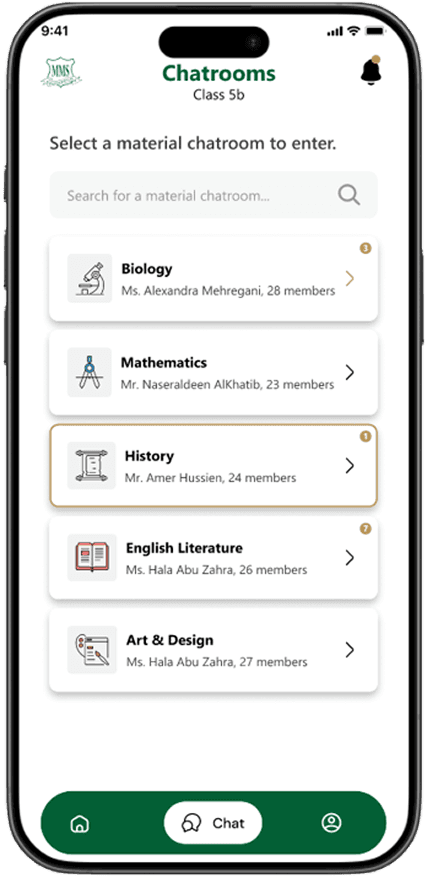
Dedicated communication spaces help organize discussions by class, making conversations easier to navigate and manage.
Announcement Tracking
Important announcements remain visible and allow teachers to monitor whether critical information has been received.
Clear Message Status
Visual indicators provide immediate feedback for unread messages, replies, and communication status, improving awareness across conversations.
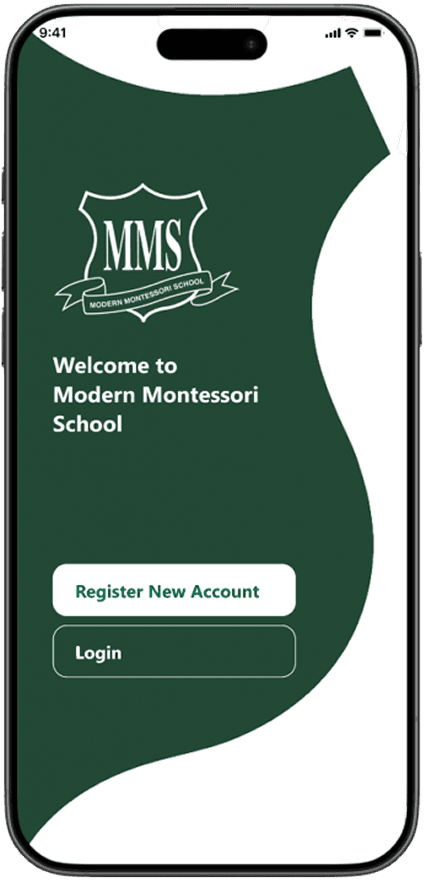
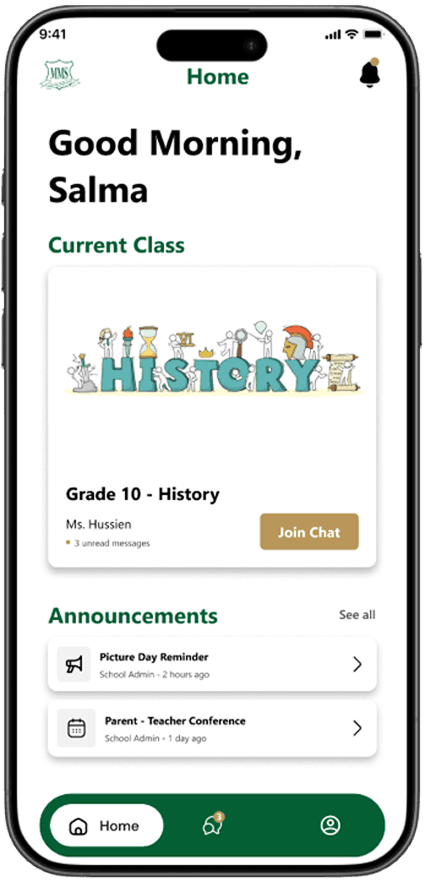
High-Fidelity Prototype
Usability Testing & Iteration
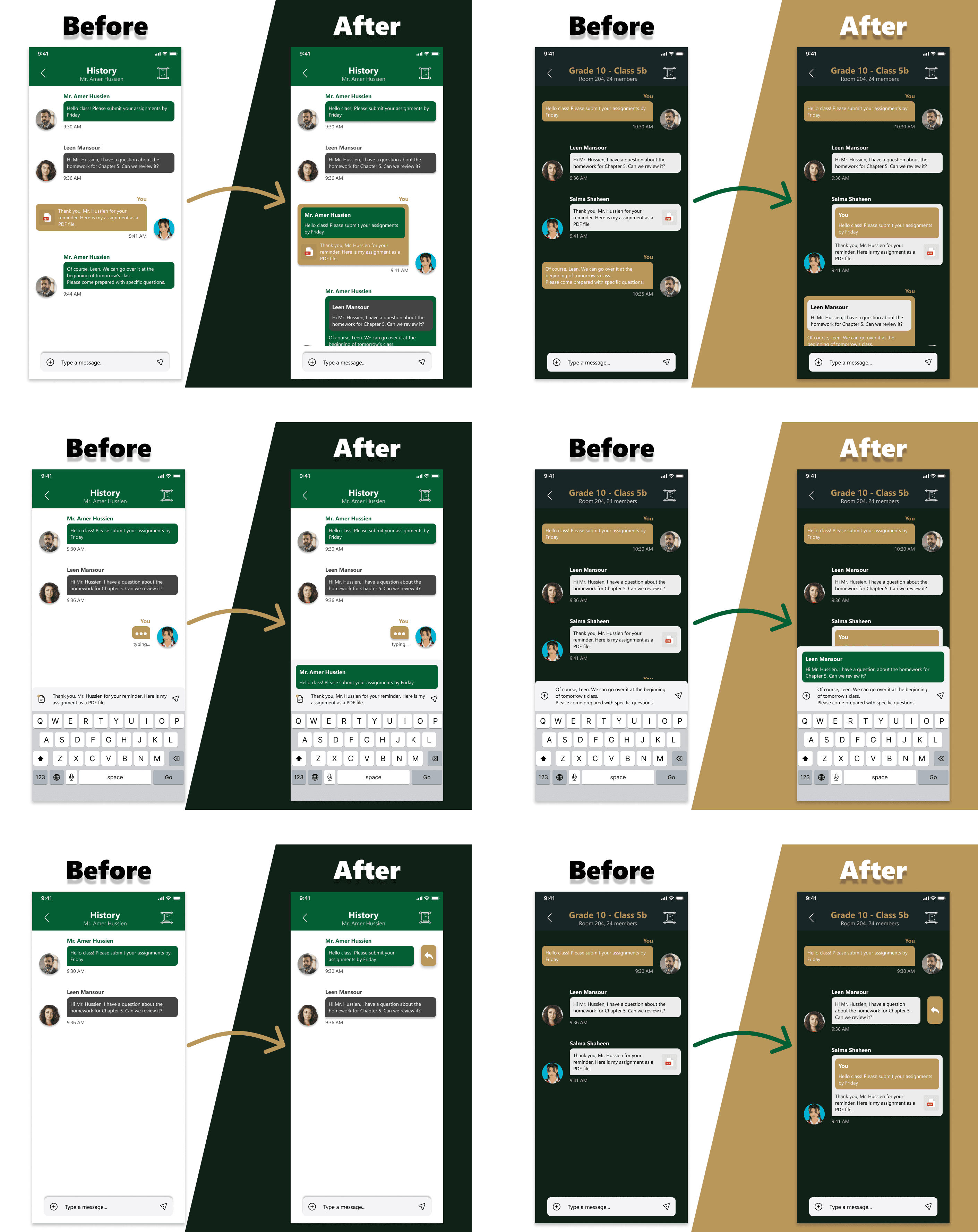
Usability testing was conducted to evaluate how effectively users could navigate conversations, identify announcements, and complete common communication tasks. The feedback highlighted opportunities to improve message organization, interaction clarity, and overall usability.
Findings
Outcomes & Learnings
Designing MMS Live Chat reinforced that effective communication is not simply about sending messages—it's about creating an environment where information is organized, trusted, and easy to understand. By focusing on structure, role clarity, and purposeful interactions, I learned how thoughtful product design can strengthen collaboration while reducing cognitive load in educational settings.