Taskly
DESIGN PRINCIPLE
When priorities are clear, productivity follows.
METADATA
Role
Product Designer
Project Type
Concept Project
Platform
Desktop Web Application
Scope
End-to-End Product Design
Tools
Figma
PROJECT INTRODUCTION
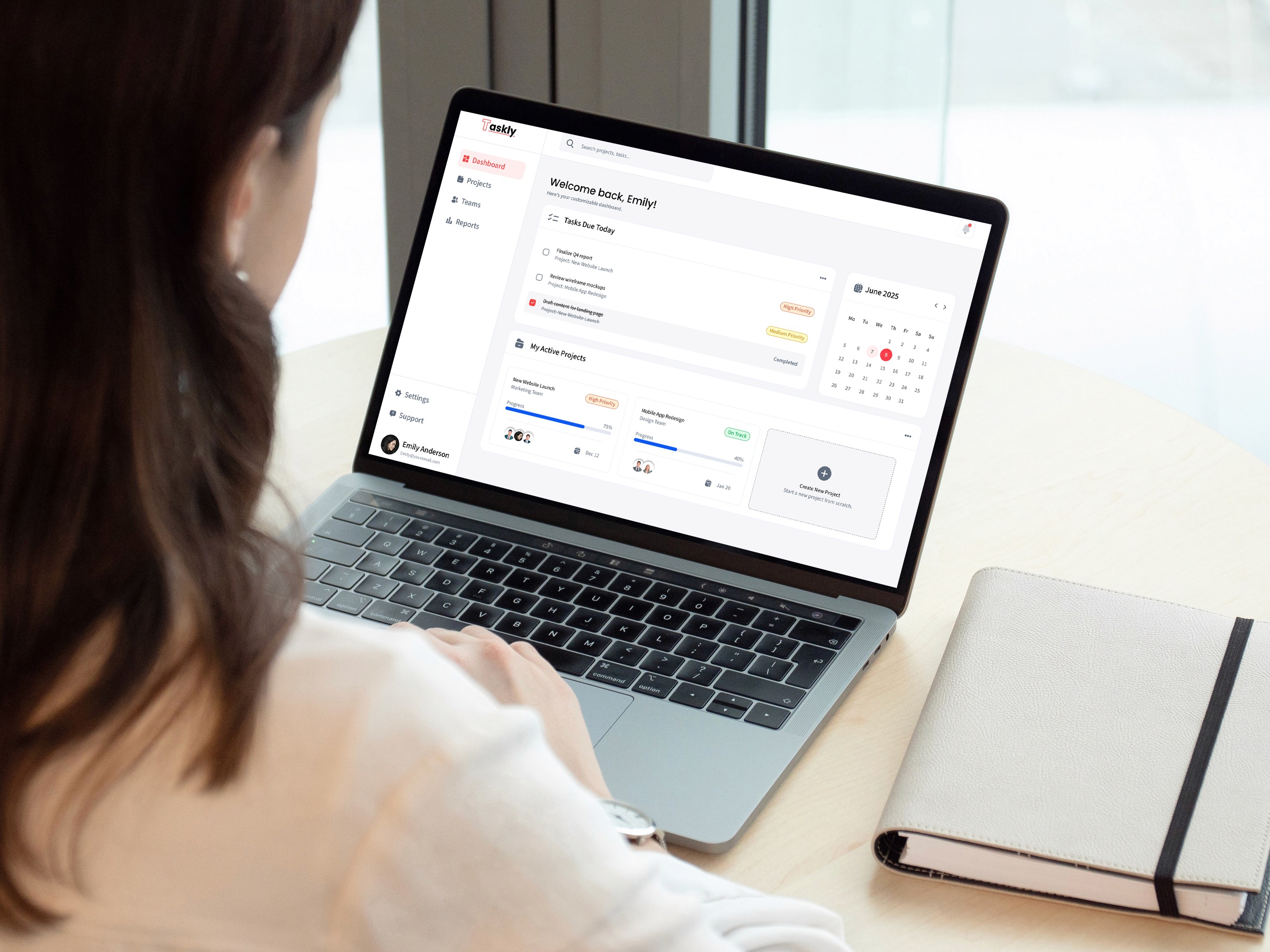
Taskly is a desktop task management platform designed to help individuals and teams organize their work, prioritize what matters, and stay focused through a clear and structured workspace. Rather than introducing more features, the project explores how thoughtful product design can reduce cognitive overload and make everyday task management feel more intuitive and purposeful.
UNDERSTANDING THE PROBLEM
Modern work rarely follows a linear path. As projects become more complex, managing priorities, collaboration, and information can quickly become overwhelming. While many task management tools offer extensive functionality, they often increase cognitive load instead of reducing it.
This challenge resonated with me personally. Rather than designing another feature-rich platform, I wanted to explore how thoughtful product design could simplify complex workflows and help users focus on what matters most.
RESEARCH & DISCOVERY
To better understand how people manage complex workflows, I conducted qualitative research through user interviews and surveys focused on task organization, collaboration, and productivity tools. Rather than validating assumptions, the objective was to uncover where existing solutions created unnecessary friction and cognitive overload.
The research revealed that users were less concerned with having more features and more concerned with understanding what required their attention. Across participants, recurring patterns highlighted that clarity, prioritization, and workflow continuity had a greater impact on productivity than feature density.
These findings became the foundation for every design decision throughout the project.
Key Insights
Users become overwhelmed when too many tasks compete for attention.
Unclear prioritization leads to decision fatigue.
Fragmented tools interrupt workflow continuity.
Users consistently prefer clarity over feature density.
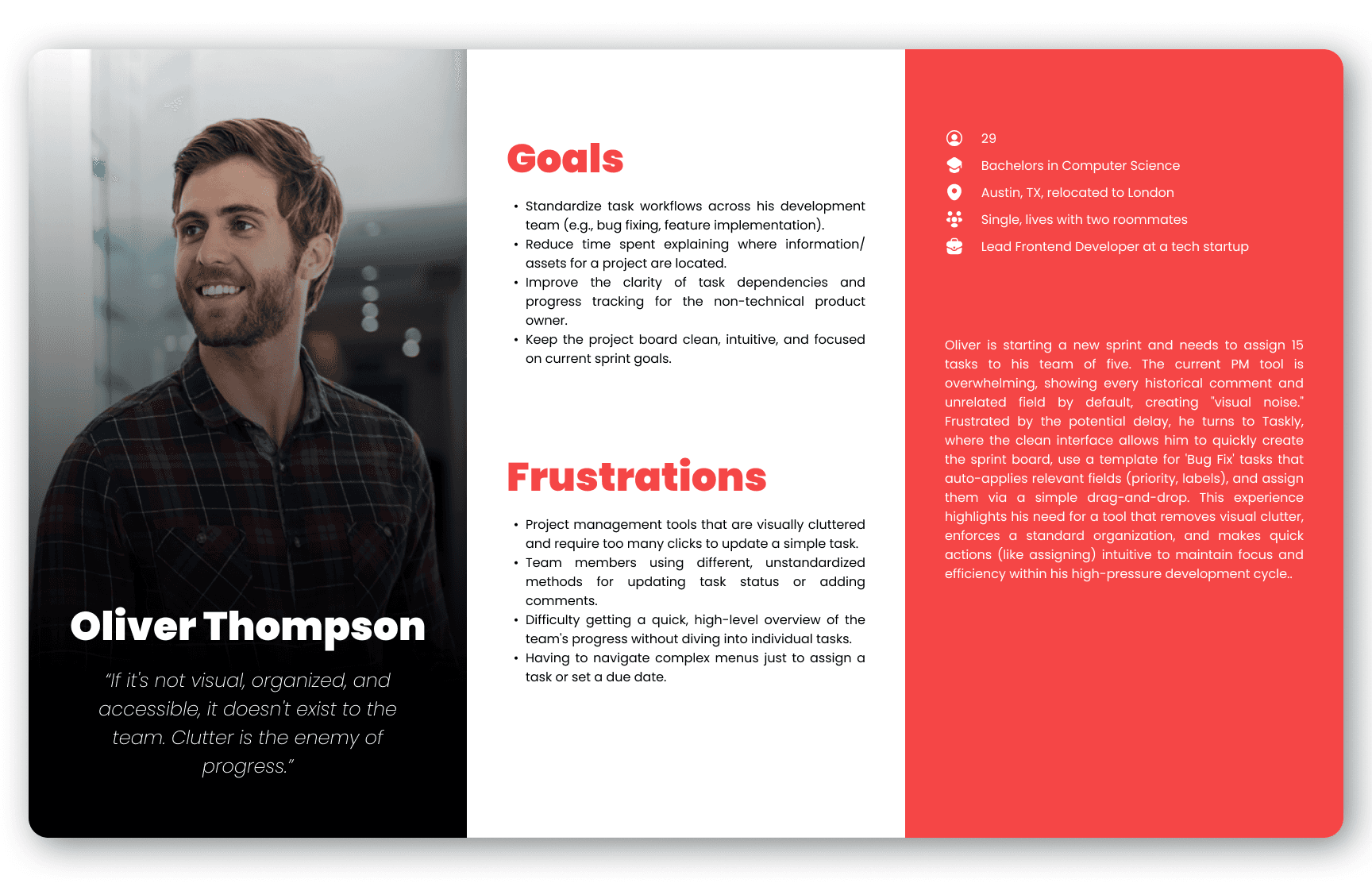
User Personas
USER PROBLEM STATEMENTS
Emily Anderson
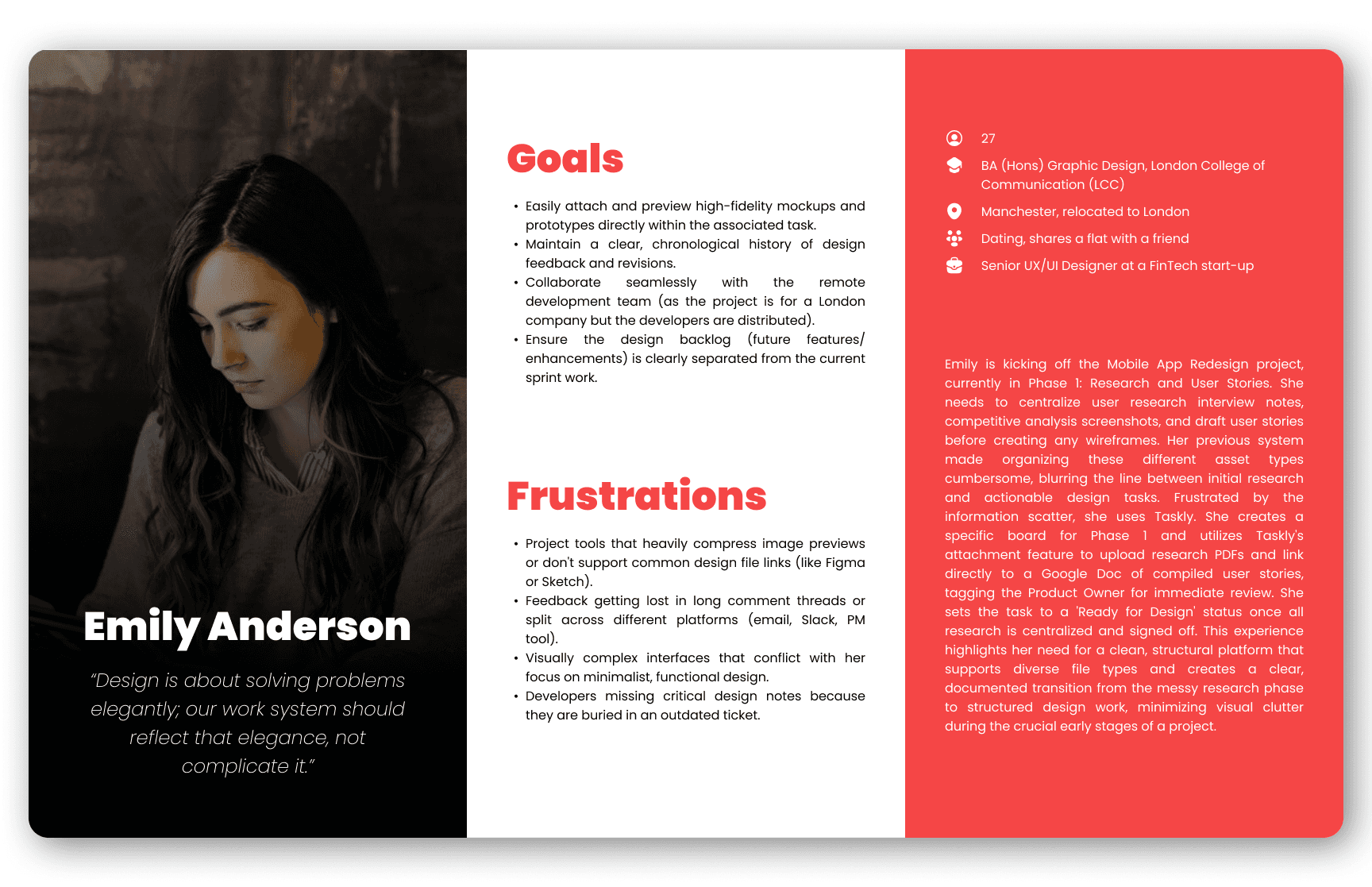
Emily Anderson is a Senior UX/UI Designer collaborating with remote developers who needs a streamlined, high-fidelity method to link, version, and centralize all visual design assets and feedback within a single task because scattered communication and outdated file versions lead to critical errors in implementation and consume valuable time auditing design history.
Oliver Thompson
Oliver Thompson is a Lead Front-End Developer focused on efficiency and team standardization who needs a rapid, low-friction way to apply predefined task structures and assignments across multiple items because manually configuring task fields and labels is time-consuming, creates workflow inconsistency, and distracts the team from delivering high-quality code.
DESIGN EXPLORATION
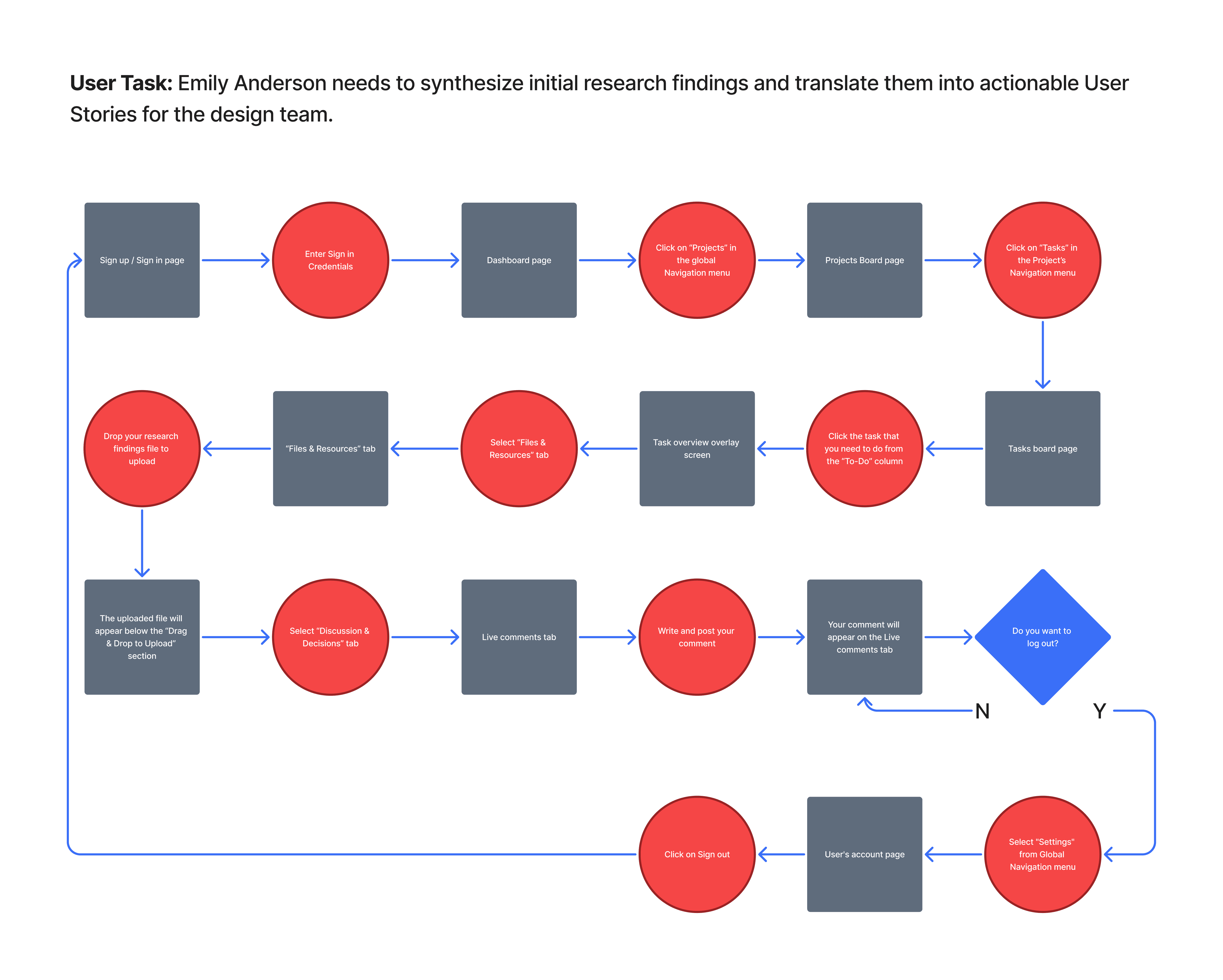
The research findings established what users needed, but translating those insights into an intuitive experience required careful exploration. I began by mapping the user's journey through the product, then progressively refined the interface from low-fidelity sketches to digital wireframes, validating that every step supported a clear and focused workflow.
User Flow
Wireframes
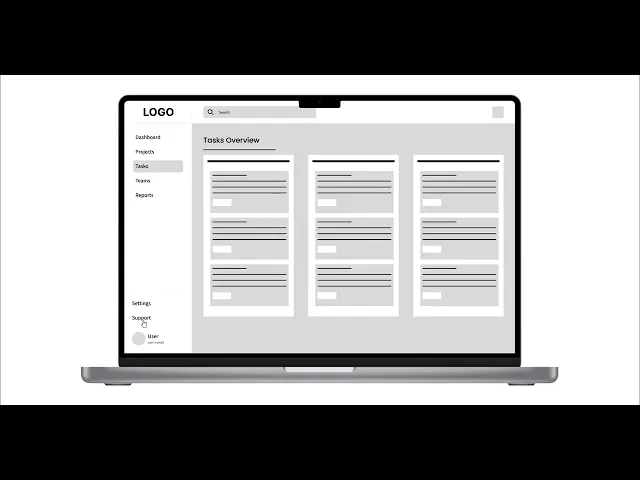
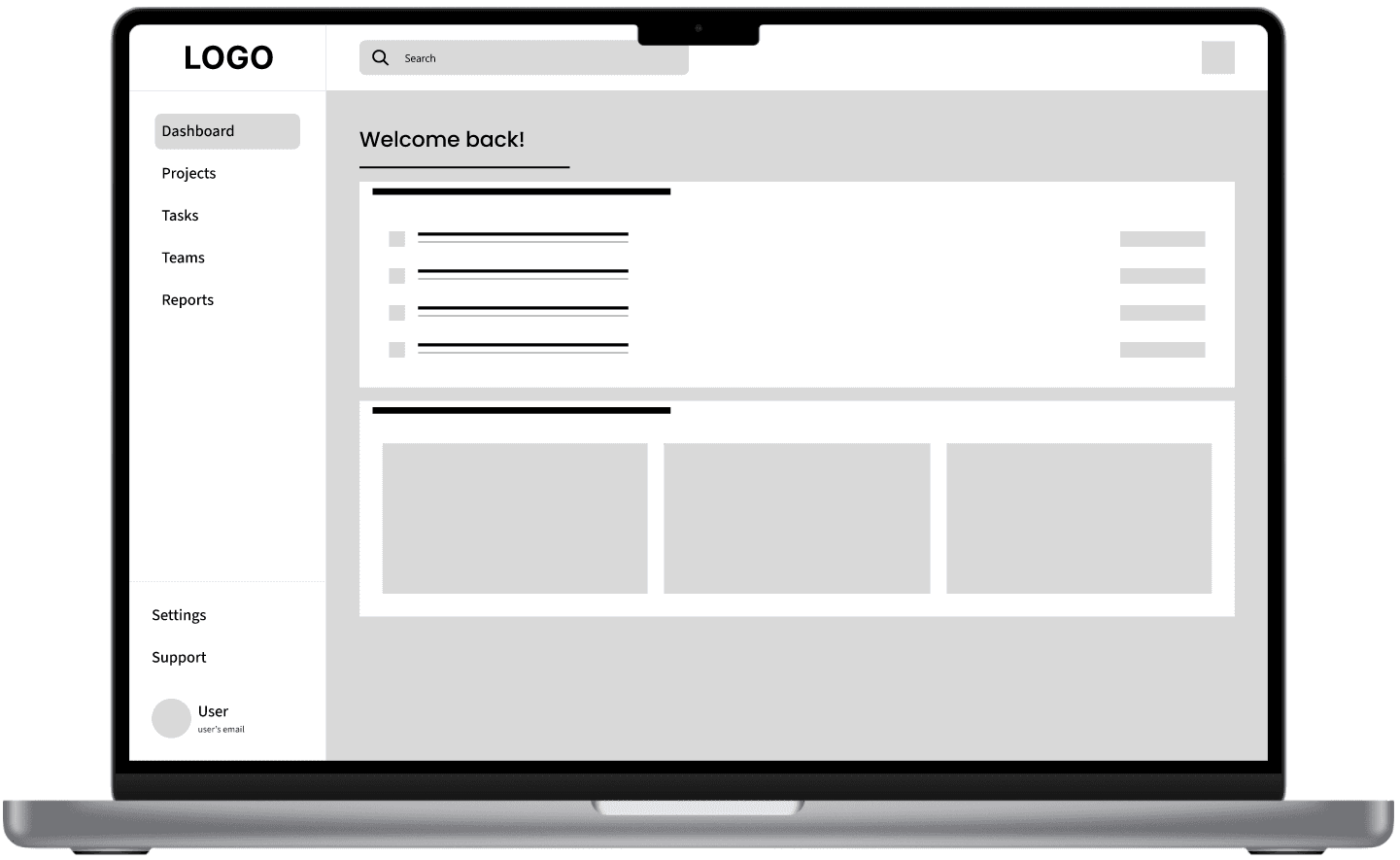
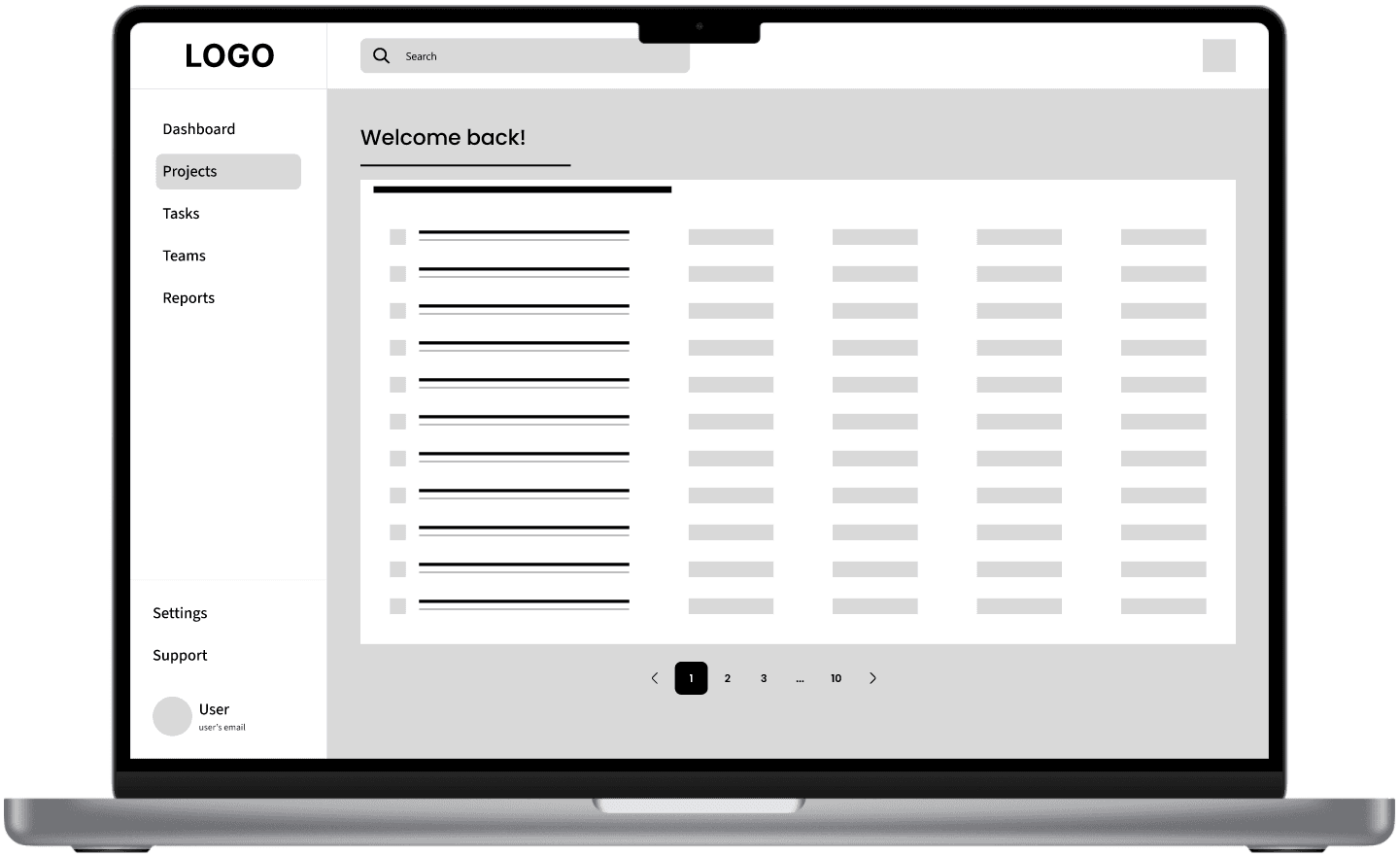
With the overall workflow established, I translated the user flow into low-fidelity wireframes to explore layout, hierarchy, and interaction patterns before investing in visual details. This stage focused on quickly testing ideas, refining navigation, and ensuring that every screen supported a clear and intuitive user experience.
The wireframes prioritized:
Clear task hierarchy
Reduced visual distractions
Straightforward navigation
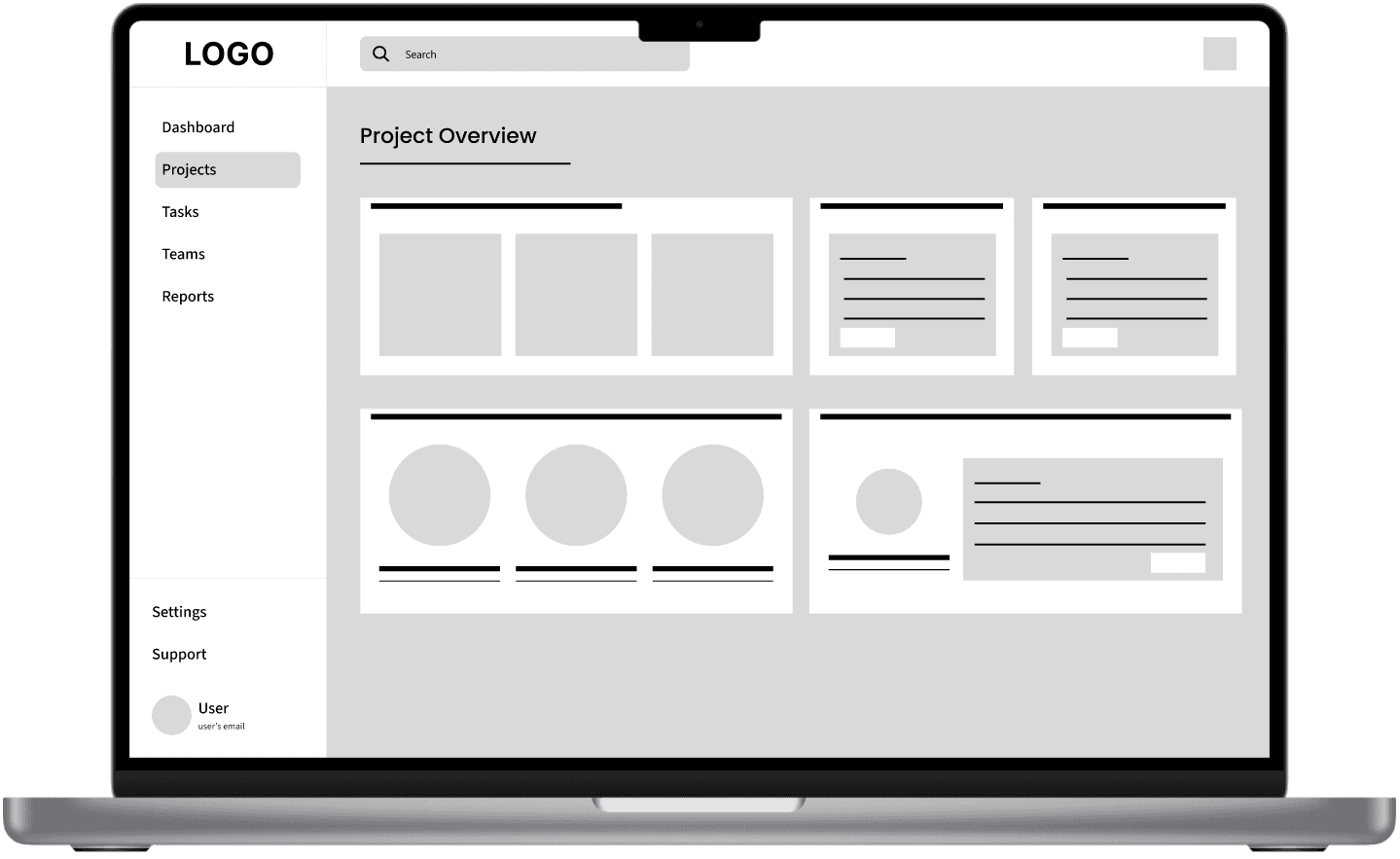
Low-Fidelity Prototype
Design Decisions
Prioritized task hierarchy
Rather than giving every task equal visual weight, I emphasized priority through hierarchy so users could identify what required immediate attention at a glance.
Reduced interface complexity
Instead of exposing every available action, secondary options were placed where they remained accessible without distracting from the primary workflow.
Consistent navigation patterns
Navigation was designed to remain predictable across the application, reducing the learning curve and helping users move confidently between tasks.
Scalable component system
Reusable interface components were created to maintain consistency as the platform grows and new features are introduced.
Visual Design & UI System
Once the interaction patterns were validated, the focus shifted to crafting a cohesive visual system that reinforces clarity across the product. Colors, typography, spacing, and reusable components were designed to create a consistent experience while helping users recognize information quickly and navigate the interface with confidence.
Design System
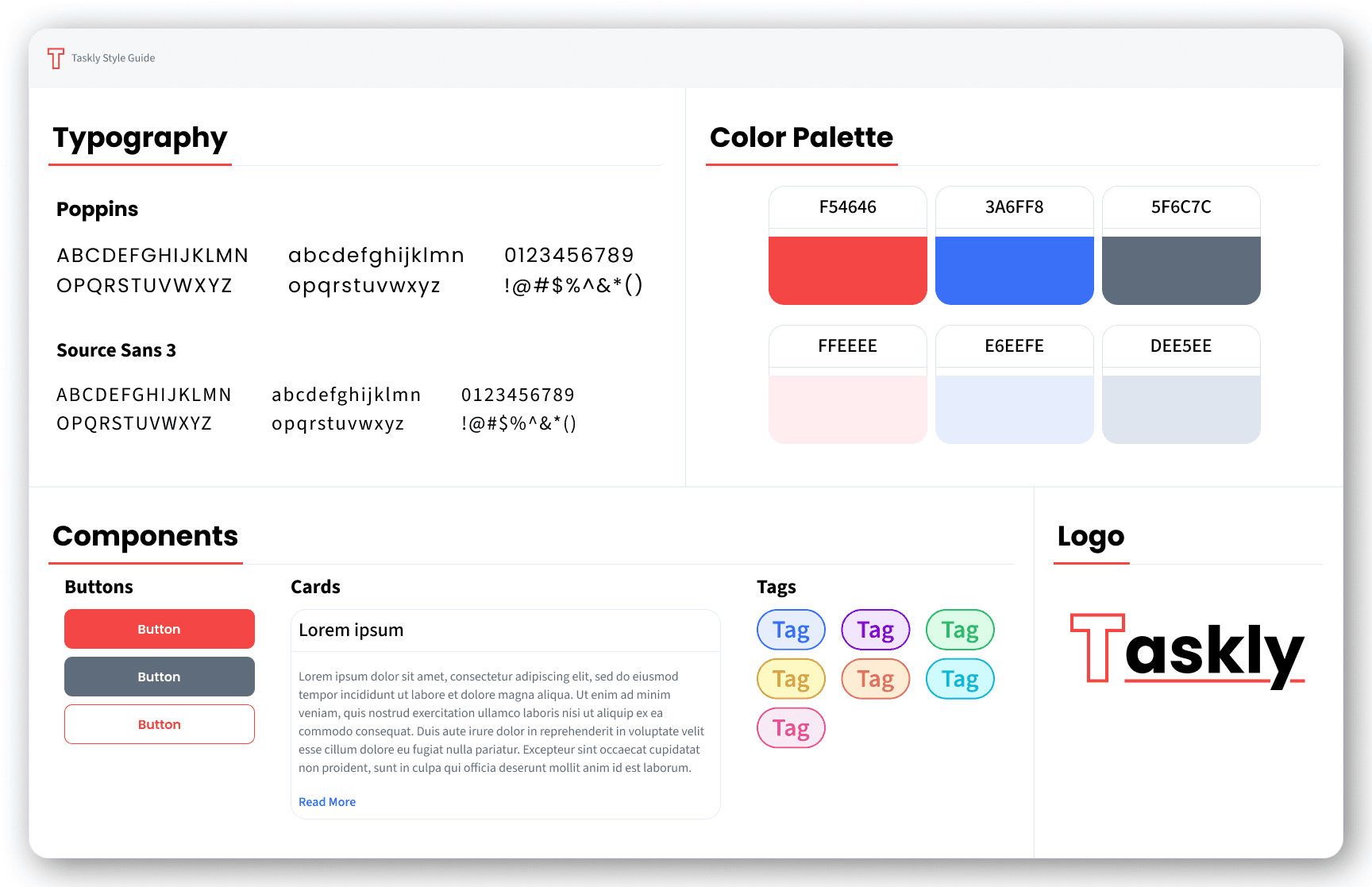
Final Design Solution
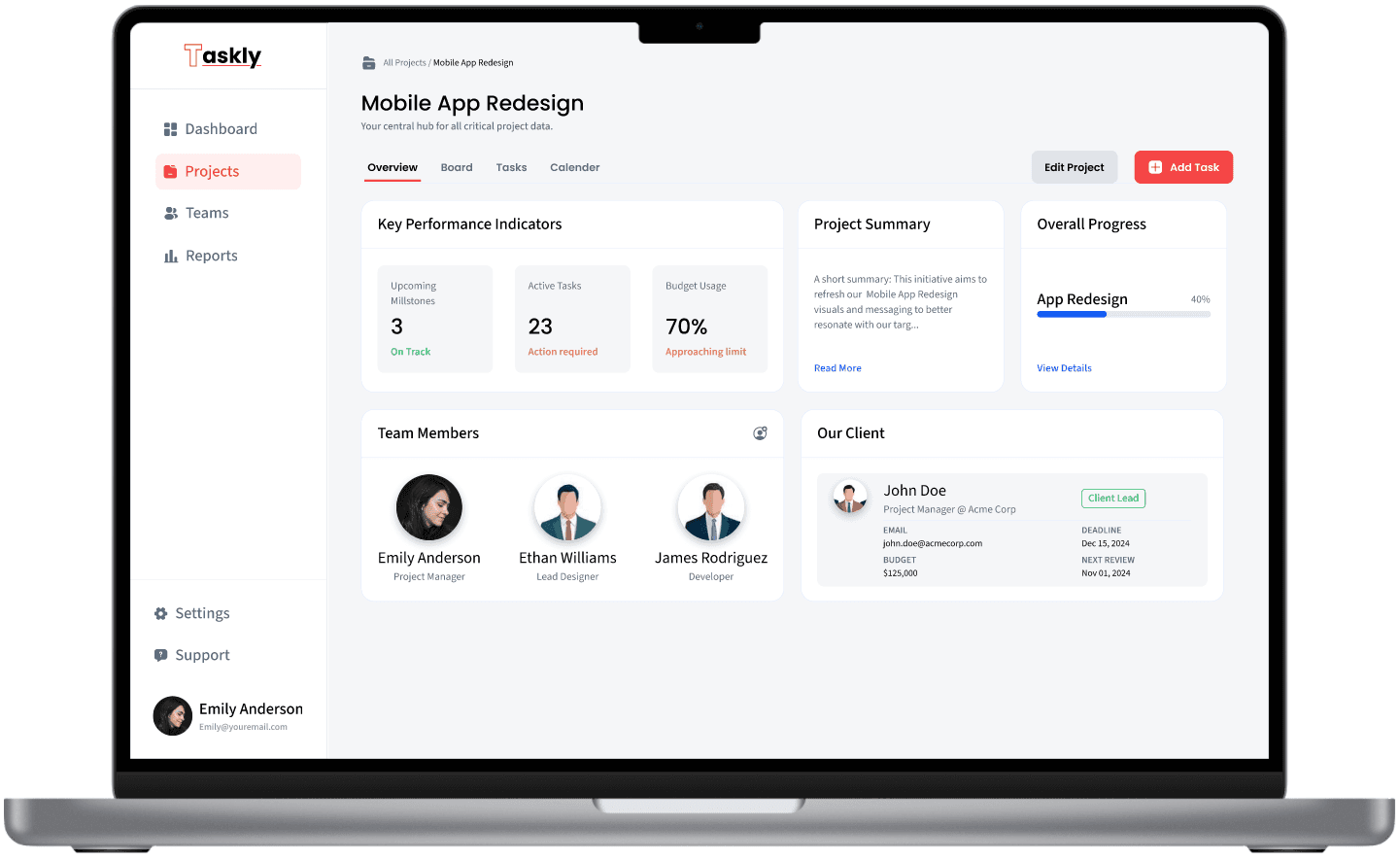
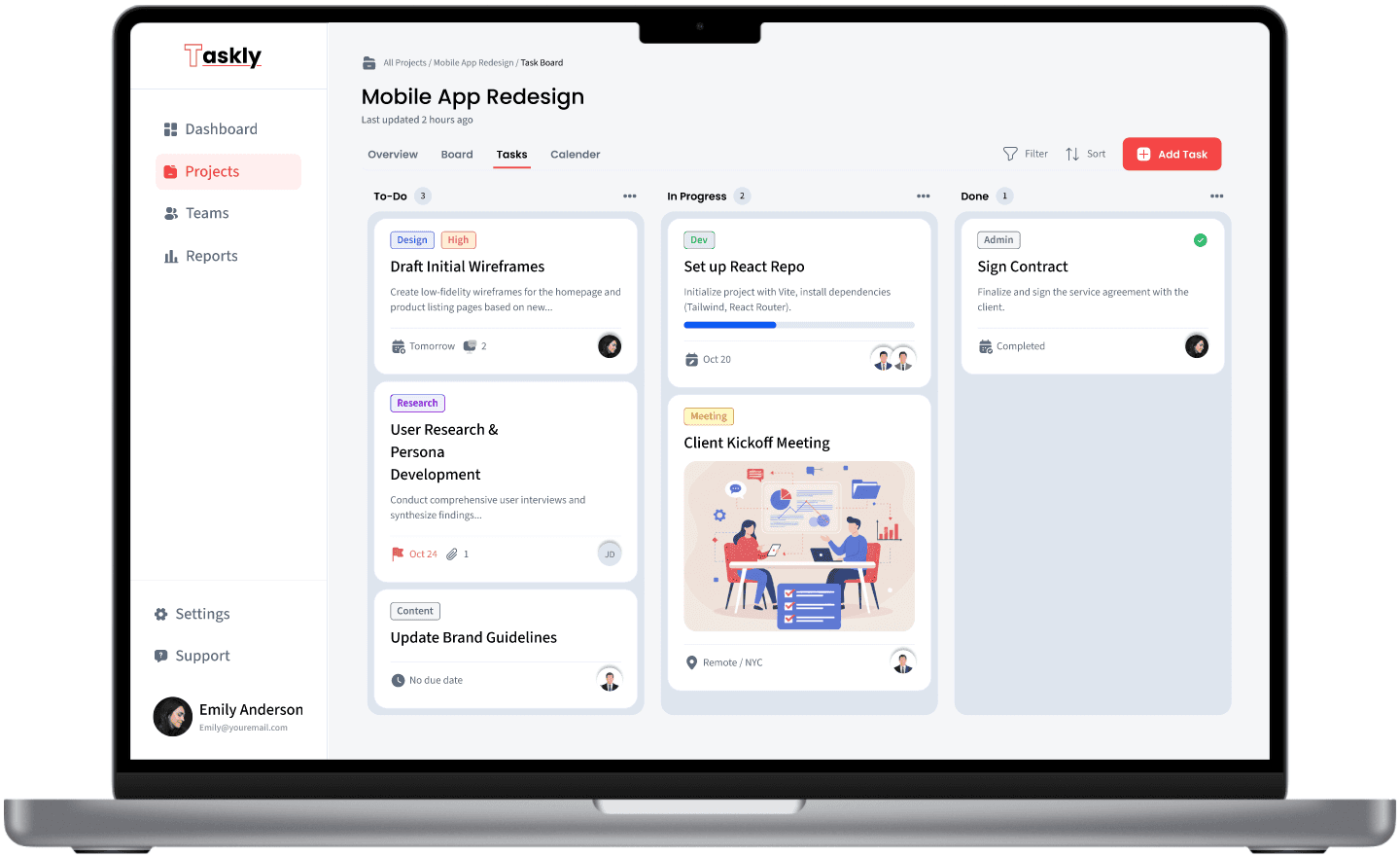
The final solution brings together research insights, structured workflows, and a cohesive visual system into a desktop task management platform designed to simplify complex work. Every interface was intentionally designed to help users understand priorities, navigate confidently, and complete tasks with minimal friction.
Key Features
Dashboard emphasizing task priority and progress
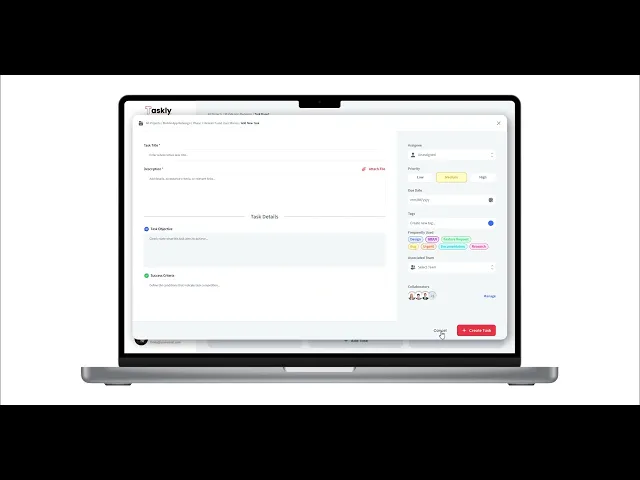
Simple task creation and editing flow
Clear visual indicators for task status
Minimal UI distractions to support focus
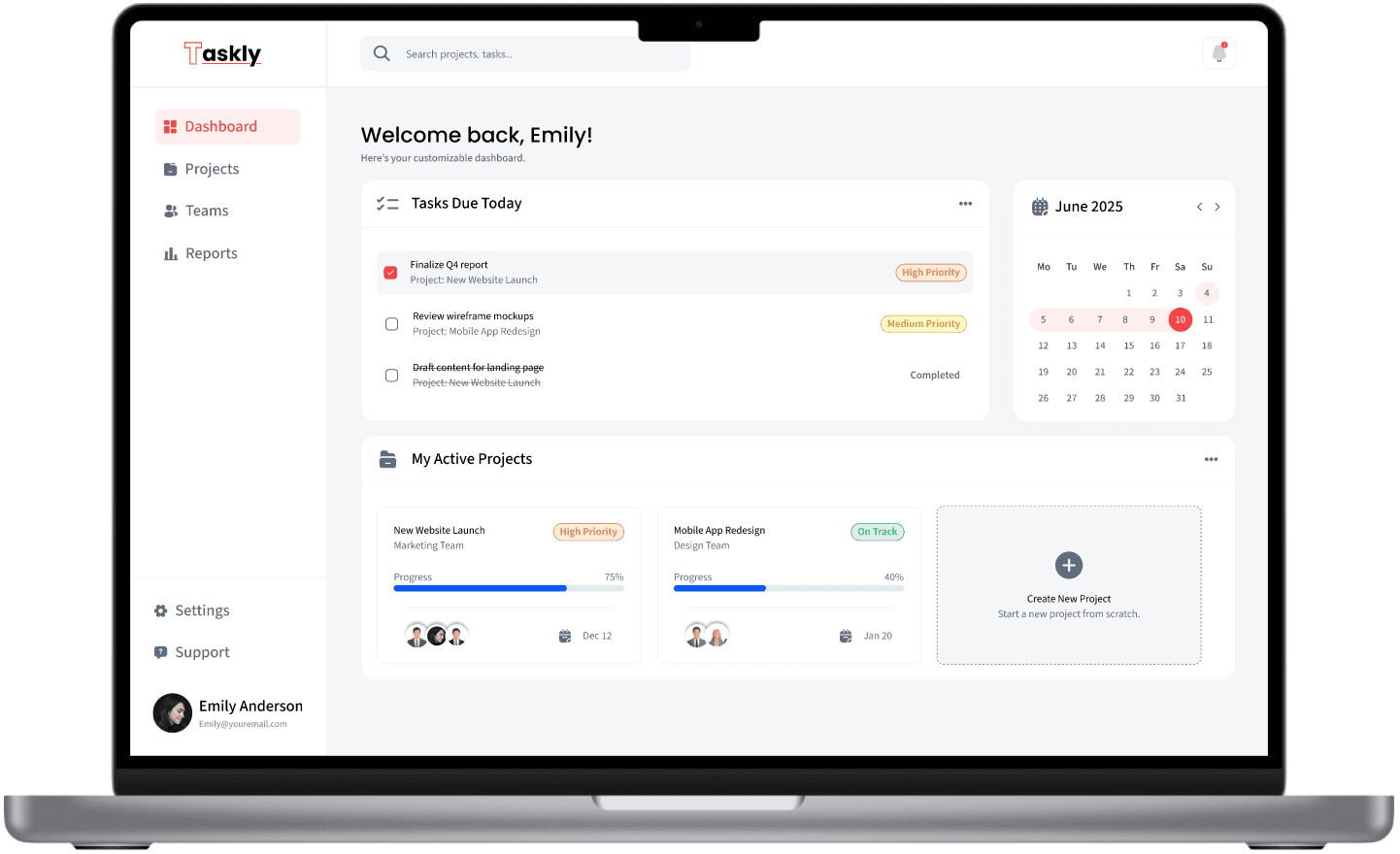
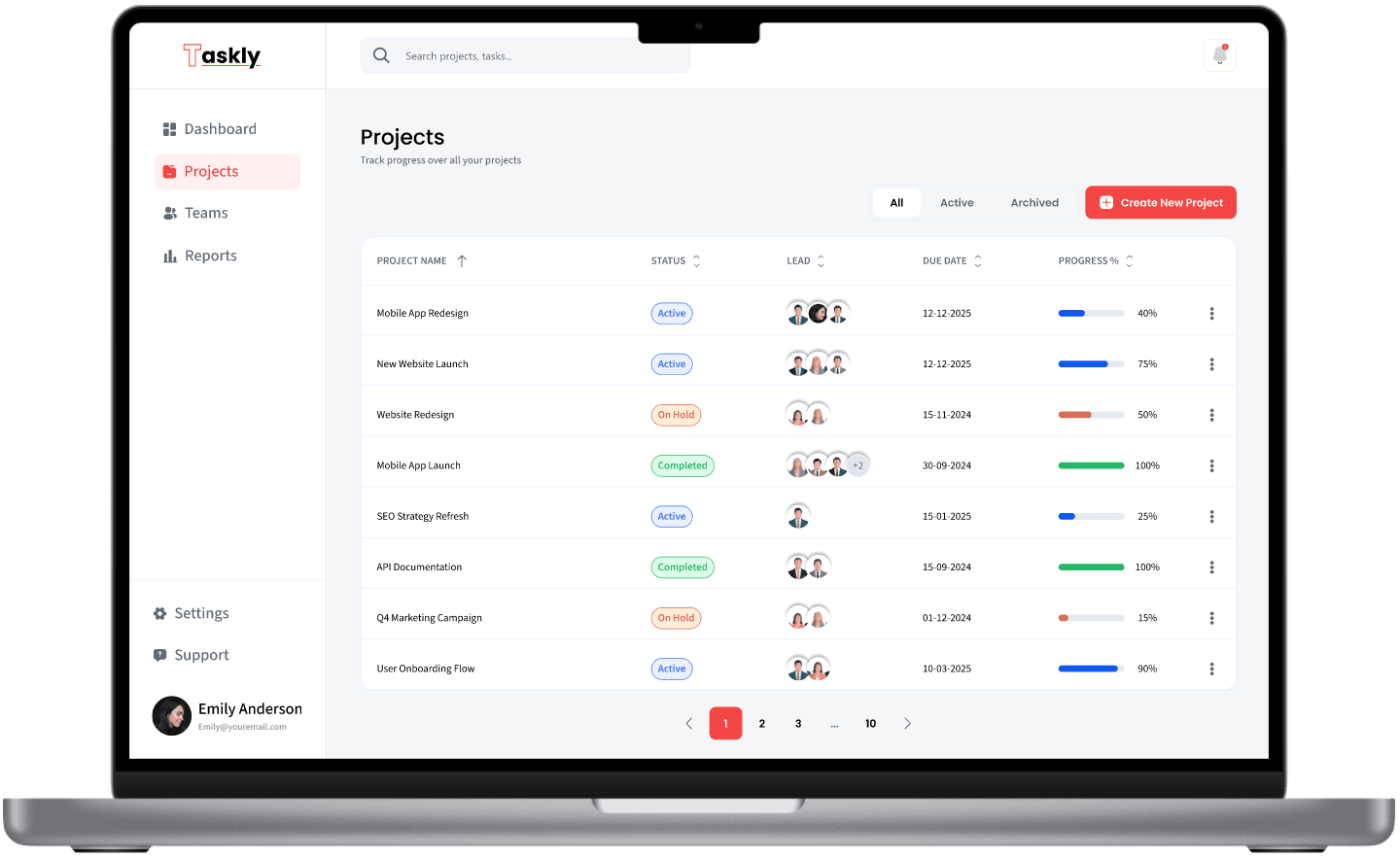
High-Fidelity Prototype
Usability Testing & Iteration
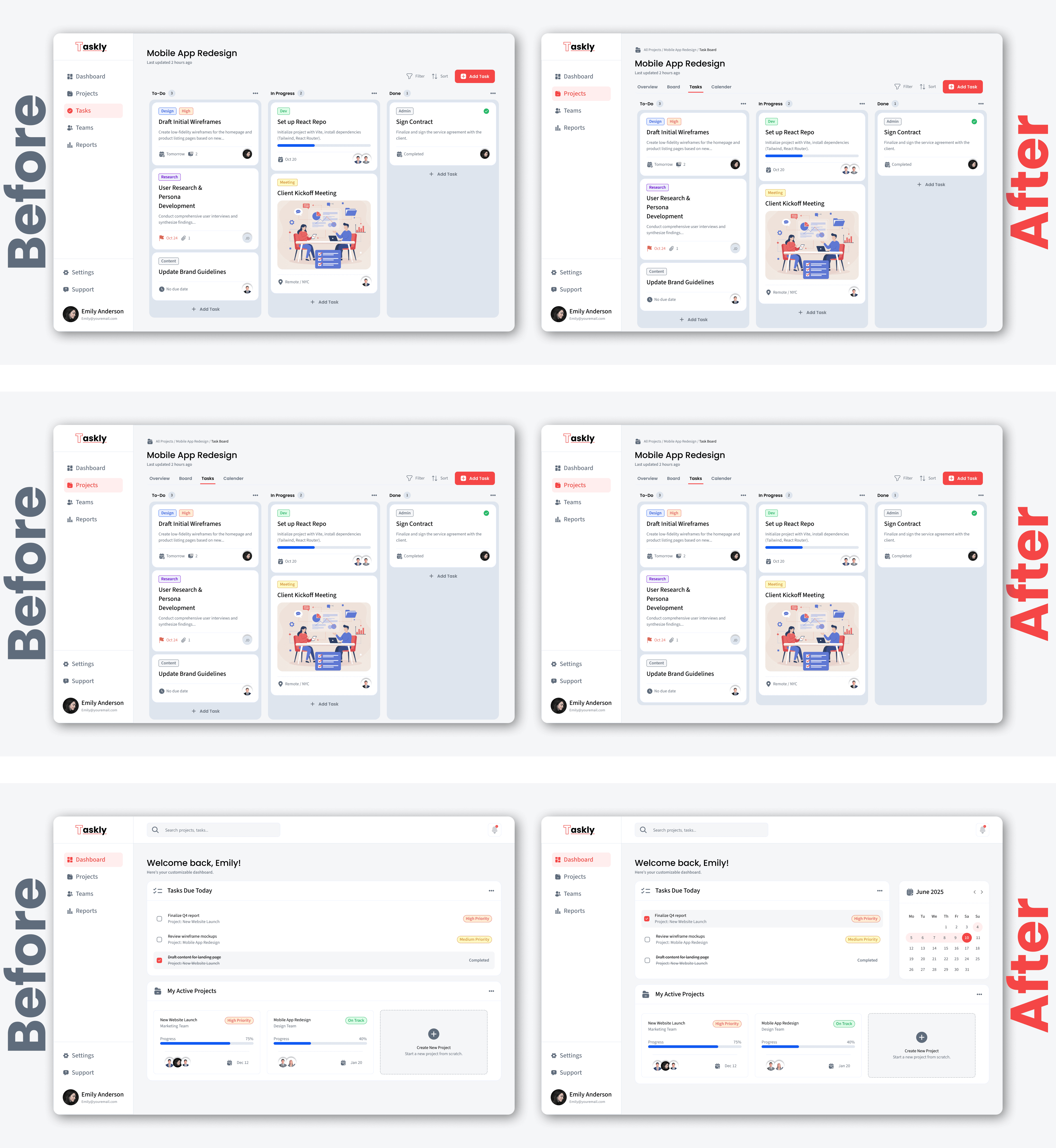
The prototype was evaluated through usability testing to understand how effectively users could complete key tasks and identify opportunities for improvement. Feedback from participants validated successful design decisions while revealing areas where navigation, hierarchy, and interactions could be refined to create a smoother and more intuitive experience.
Findings
Outcomes & Learnings
Taskly reinforced an important lesson that continues to shape the way I approach product design: solving complex problems rarely requires adding more functionality—it requires creating greater clarity. Throughout the project, every design decision was guided by the goal of helping users understand their work more easily, stay focused on what matters most, and complete tasks with greater confidence.